Installation & Activation
From BossRush Wiki
Install
- Open Steam Workshop for Escape from Duckov
- Search "BossRush" or go to the mod page directly
- Click Subscribe
- Launch the game — mod loads automatically
Confirm It's Working
- BossRush Ticket appears at the base merchant
- Press L → achievement panel opens
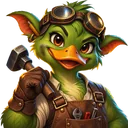 Dingdang and Yuori visible on normal maps
Config
First run generates BossRushModConfig.txt in StreamingAssets/. Edit it to tweak wave intervals, Boss count, difficulty, etc.
If the game supports ModConfig UI, you can also change settings in-game.
Categories: